
DePickle
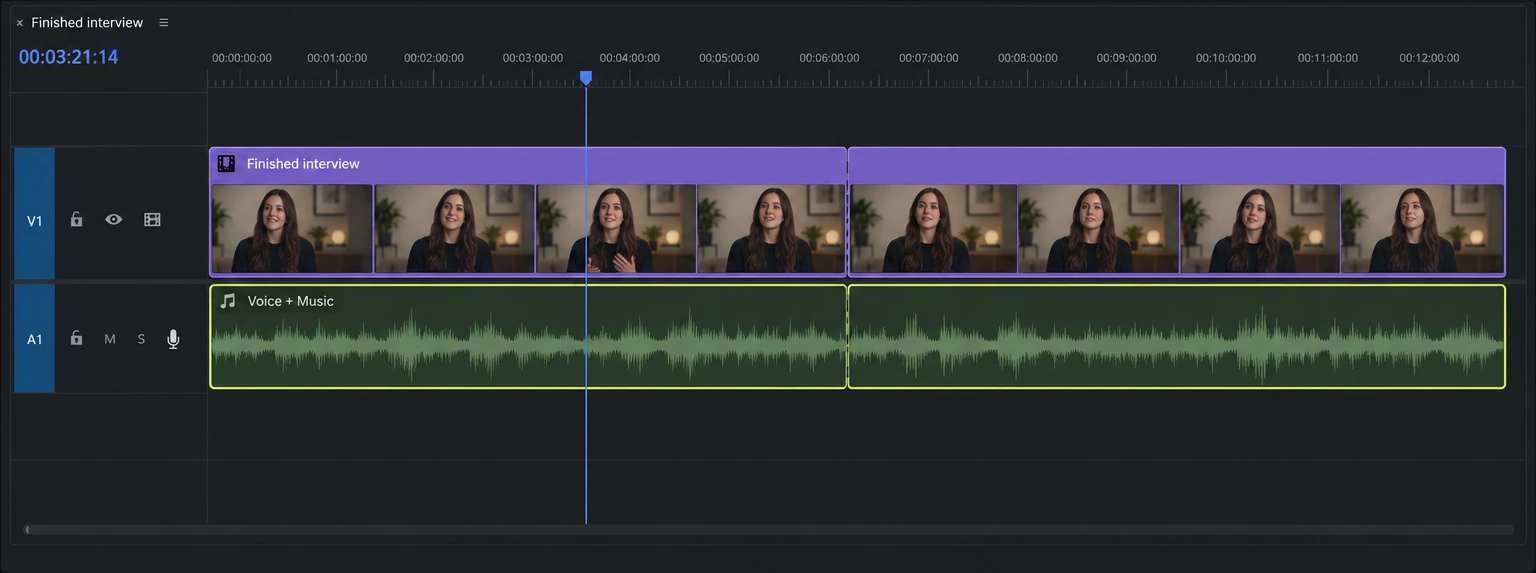
Case studyThe problemFinished videos arrive with dialogue and music baked together.
Separate
the juice.
One mixed clip. Editable stems.
Right inside Premiere.
I built DePickle for Premiere editors who need to recut a finished video without the original project. Select the clip, separate locally, and keep editing.
The problem
Dialogue and music are locked together.
Clients send me finished videos to recut for social and app content. The voice and music are baked together. A tighter dialogue edit now cuts the music, too.
For Premiere editors, including me: change the mix without rebuilding the project.
The solution
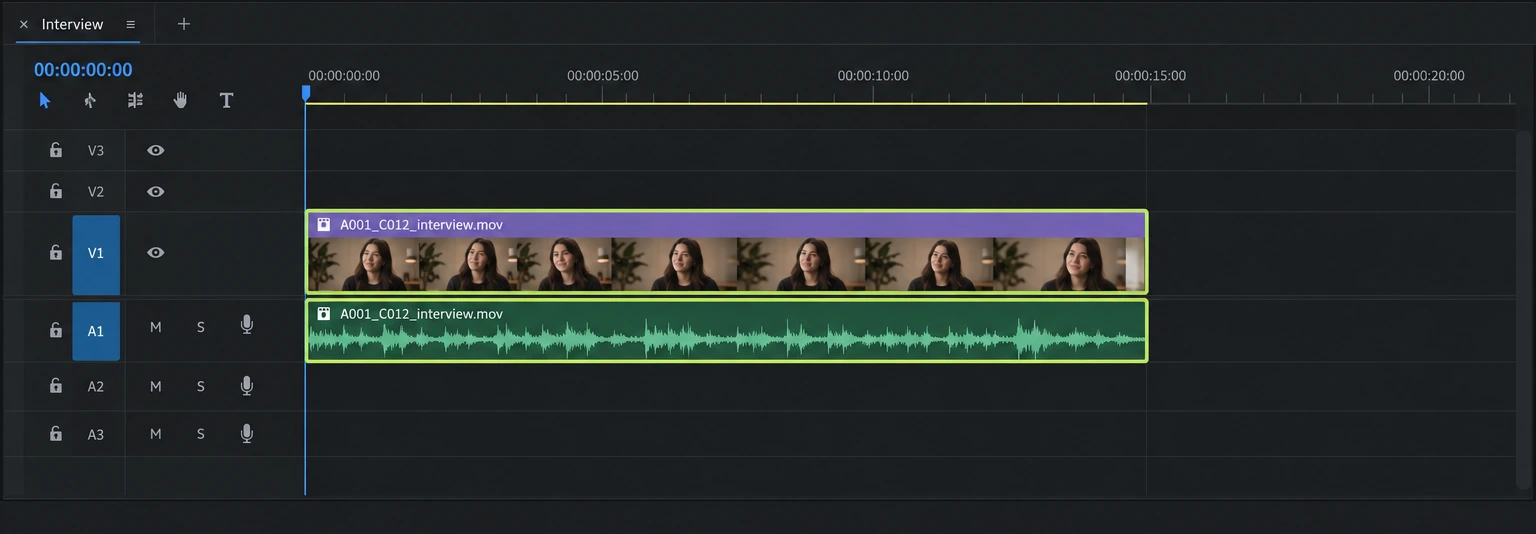
Select the clip in Premiere.
Select an audio or linked video clip in Premiere. That clip is the starting point for separation; the editor shouldn’t have to set up another project just to work on its sound.
I put the entry point inside Premiere because that’s where the next edit happens.
Local processing
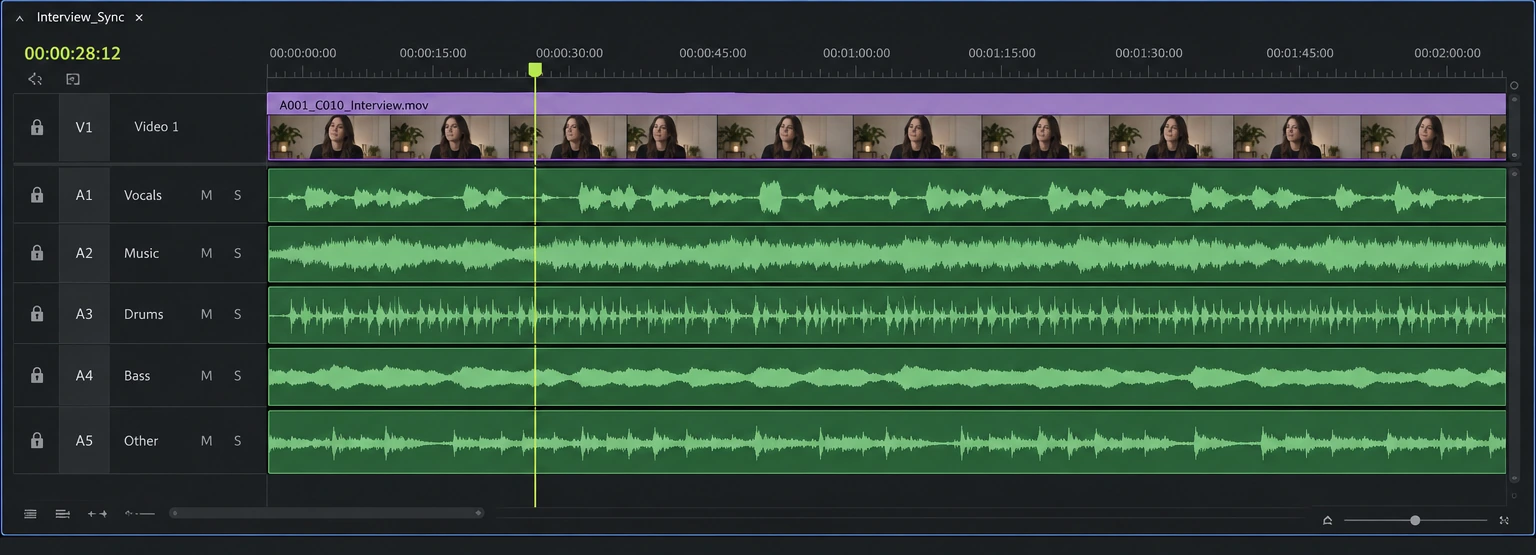
Separate the audio into stems.
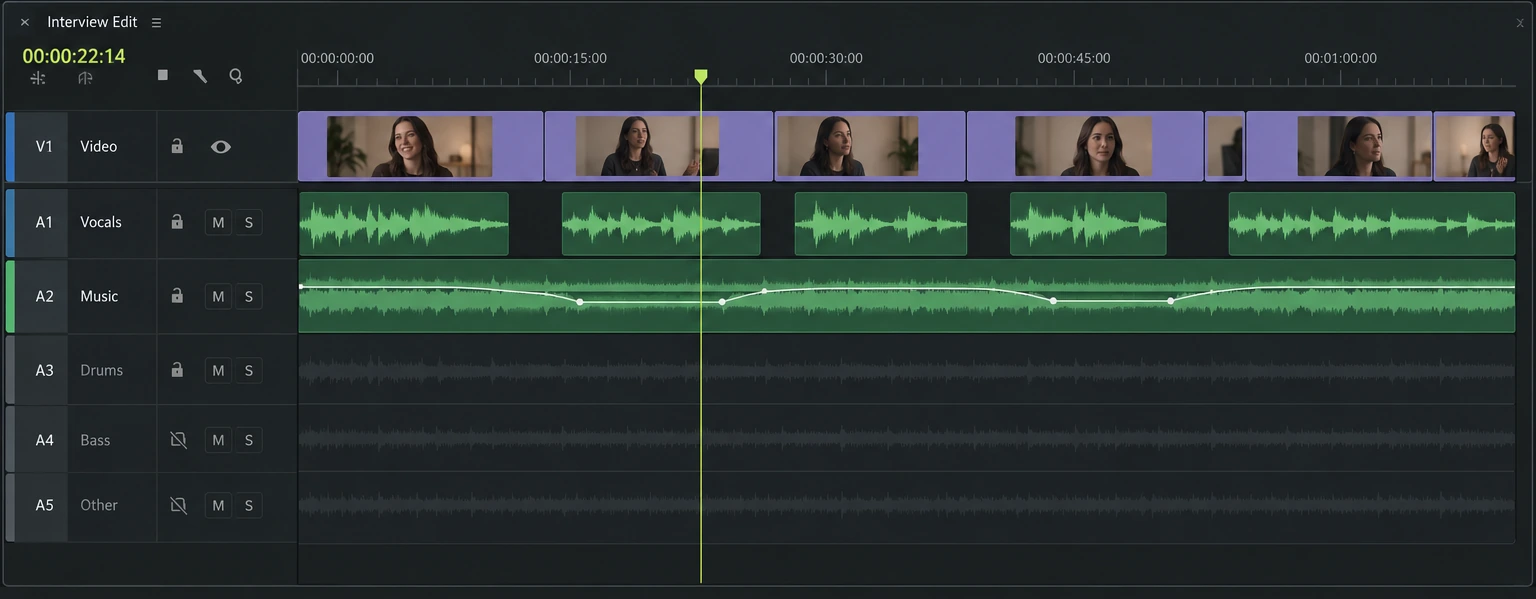
DePickle processes the audio locally on the Mac. The primary split produces vocals and music. A deeper music split produces drums, bass and other instruments.
Local processing keeps source media on the machine and allows offline separation.
Timeline return
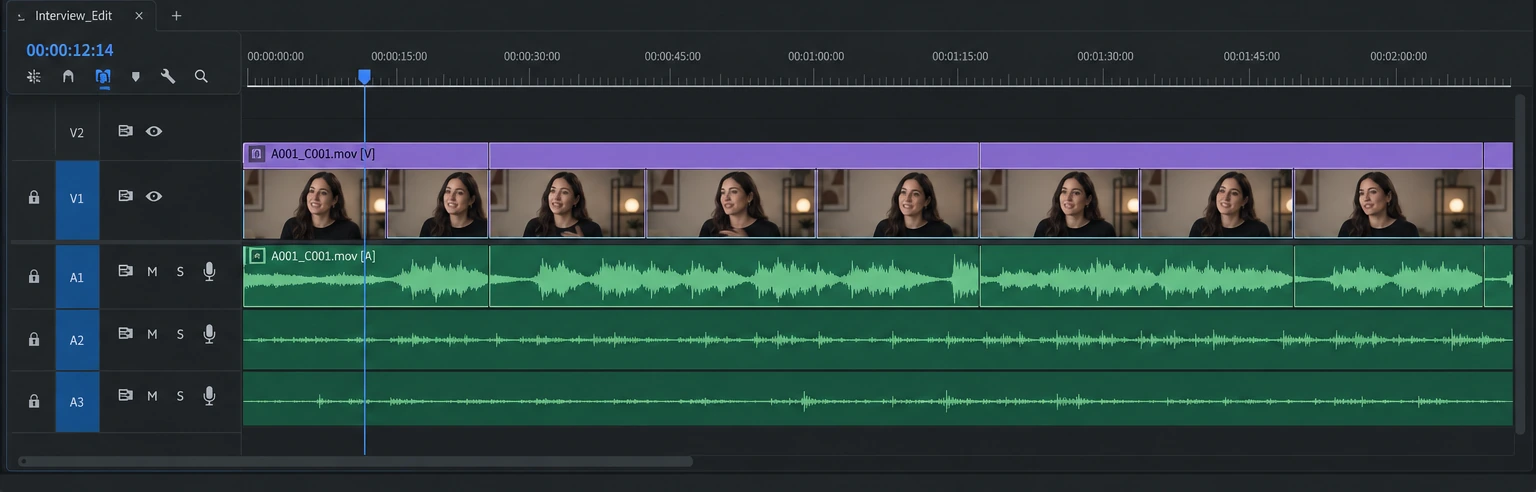
Return aligned, editable tracks.
Lossless stems return to the Premiere timeline aligned with the selected clip. Each stem starts at the same source time, so the editor can switch tracks without nudging them into sync.
This was the difficult part: local processing had to return editable audio without disturbing the video edit.
The result
Edit the voice and music independently.
Lower the music under dialogue. Rework the rhythm for a trailer. Use individual music stems to shape the cut. Listen for bleed and artifacts before committing to the final mix.
The editor decides what sounds usable. Source quality still affects the separation.
Behind the build
My part in DePickle.
I mapped the selection, processing and timeline return before implementation. I wrote detailed specifications and used AI as my main coding tool, with open-source software to fill gaps. The central design requirement was that the result feel like part of the edit.
Evidence & what’s next
The waveforms here illustrate the workflow. The product site has real mixed and separated audio examples. Cached stems can be reused; the timeline operation reverses with one undo.
Separation quality depends on the source. Mac and Premiere compatibility limits who can use it. A working demo does not establish time saved across customer projects.
Measure hands-on time against the export/import workflow, then check sync and audible artifacts on the same clips. Include failed or unusable outputs.