
Blum Workshop
Case studyThe problemFive pieces per drawer. Repeated measurements. Too many chances to recut.
Every piece.
In its place.
From cabinet opening to cutting checklist.
Built at my own workbench.
I built Blum Workshop while making the custom cabinetry in my van. I needed the dimensions to be right—and a way to remember which pieces I had already cut.
The problem
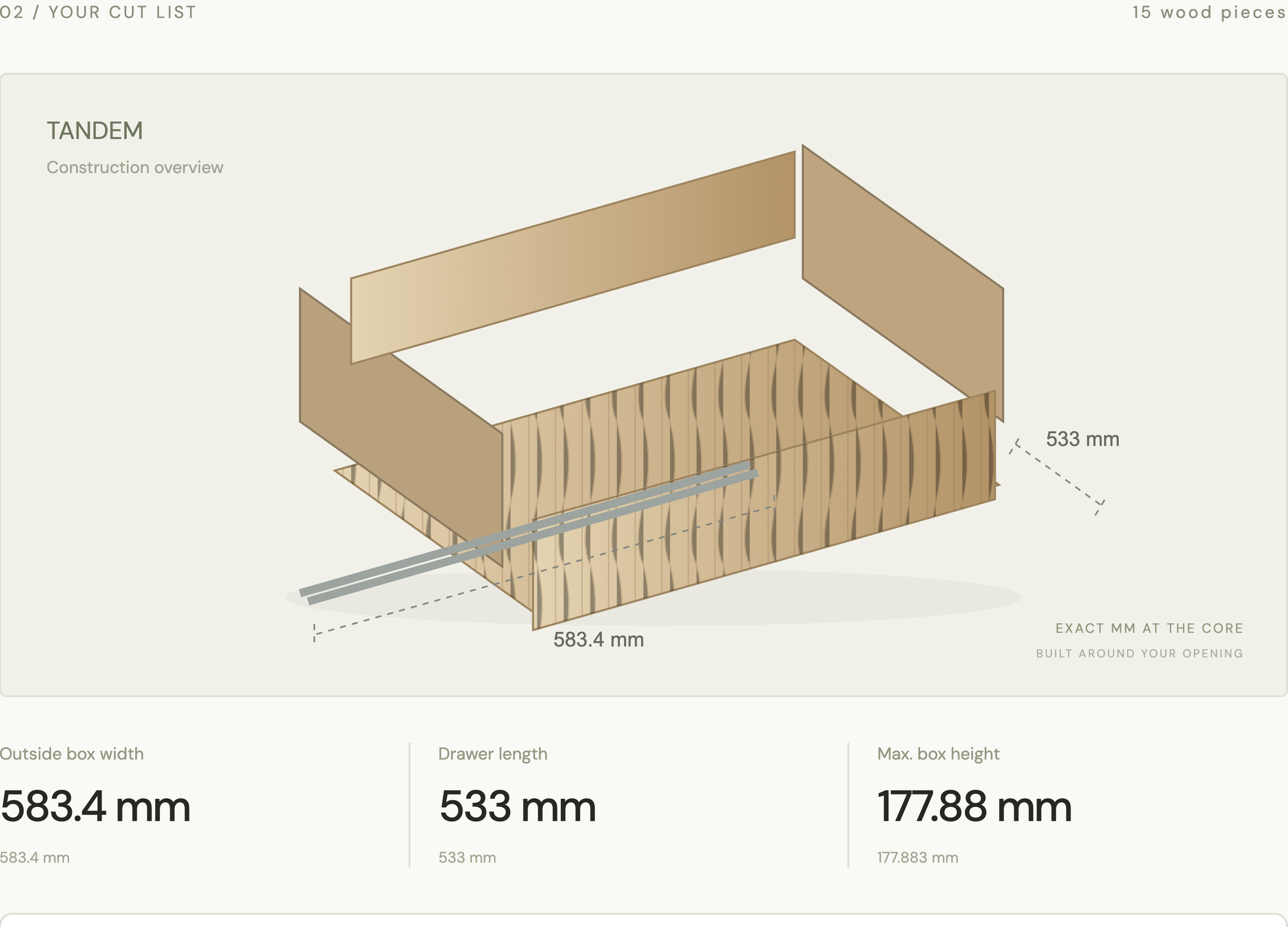
One drawer means five pieces to keep track of.
Two sides, a front, a back and a bottom. Each piece needs its own dimensions and machining details. I was calculating them by hand, recutting wood and losing track of what was finished. Multiply that by several drawers and a page of notes becomes a job of its own.
I started with the work I was actually doing: wooden drawer boxes on Blum undermount slides.
The solution
Enter the opening, stock and exact hardware.
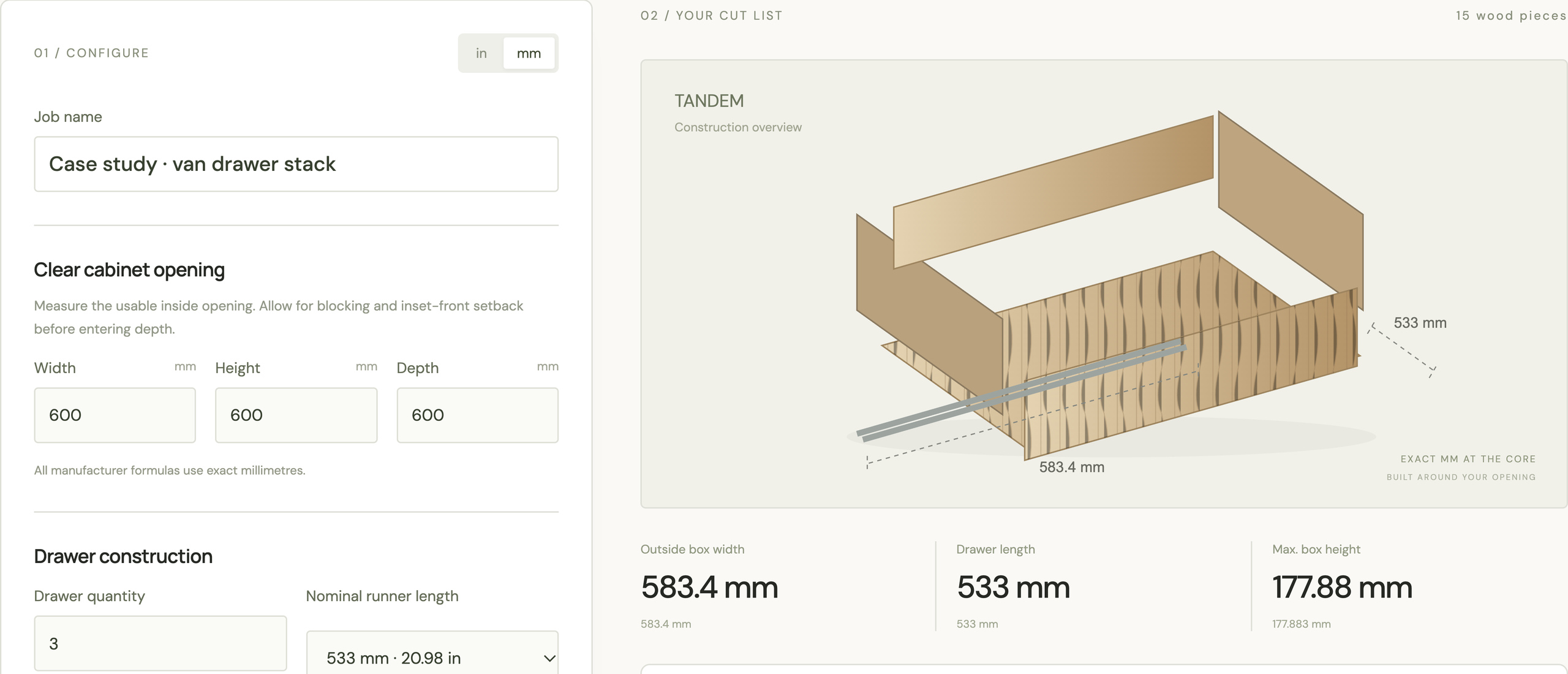
Choose the runner system and family. Enter the usable cabinet opening, material thickness and drawer quantity. These are the inputs that change the fit; keeping them together makes it much easier to catch a wrong assumption before cutting.
The hardware comes first. Different runner families need their own supported dimensions.
The calculation
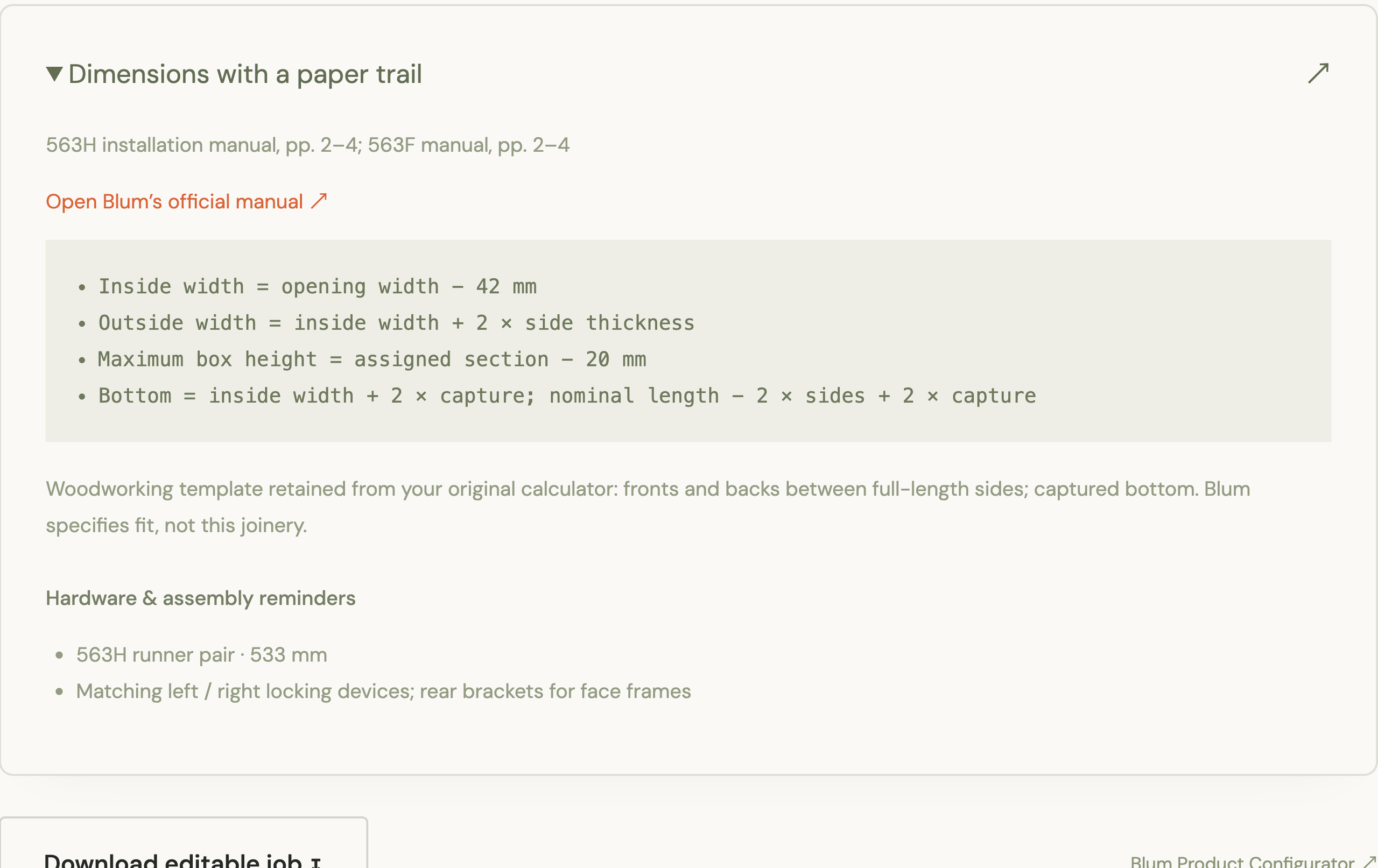
Turn those inputs into a complete drawer plan.
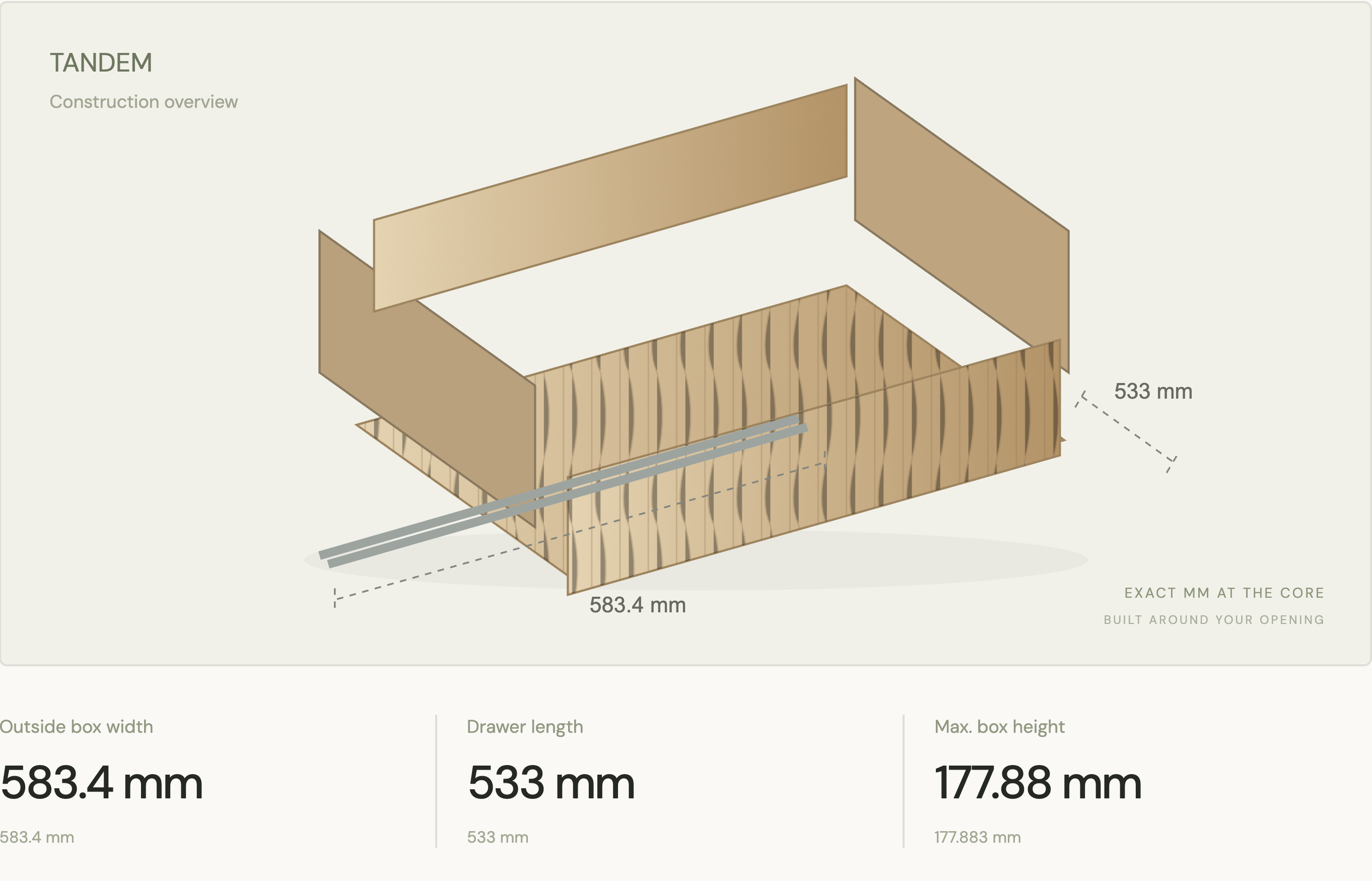
The calculator applies the supported system’s formulas and my drawer-construction layout to produce the piece sizes. Exact millimeters stay visible alongside the construction overview and source references.
I used deterministic formulas for dimensions. AI should not guess the width of a piece of wood.
The batch
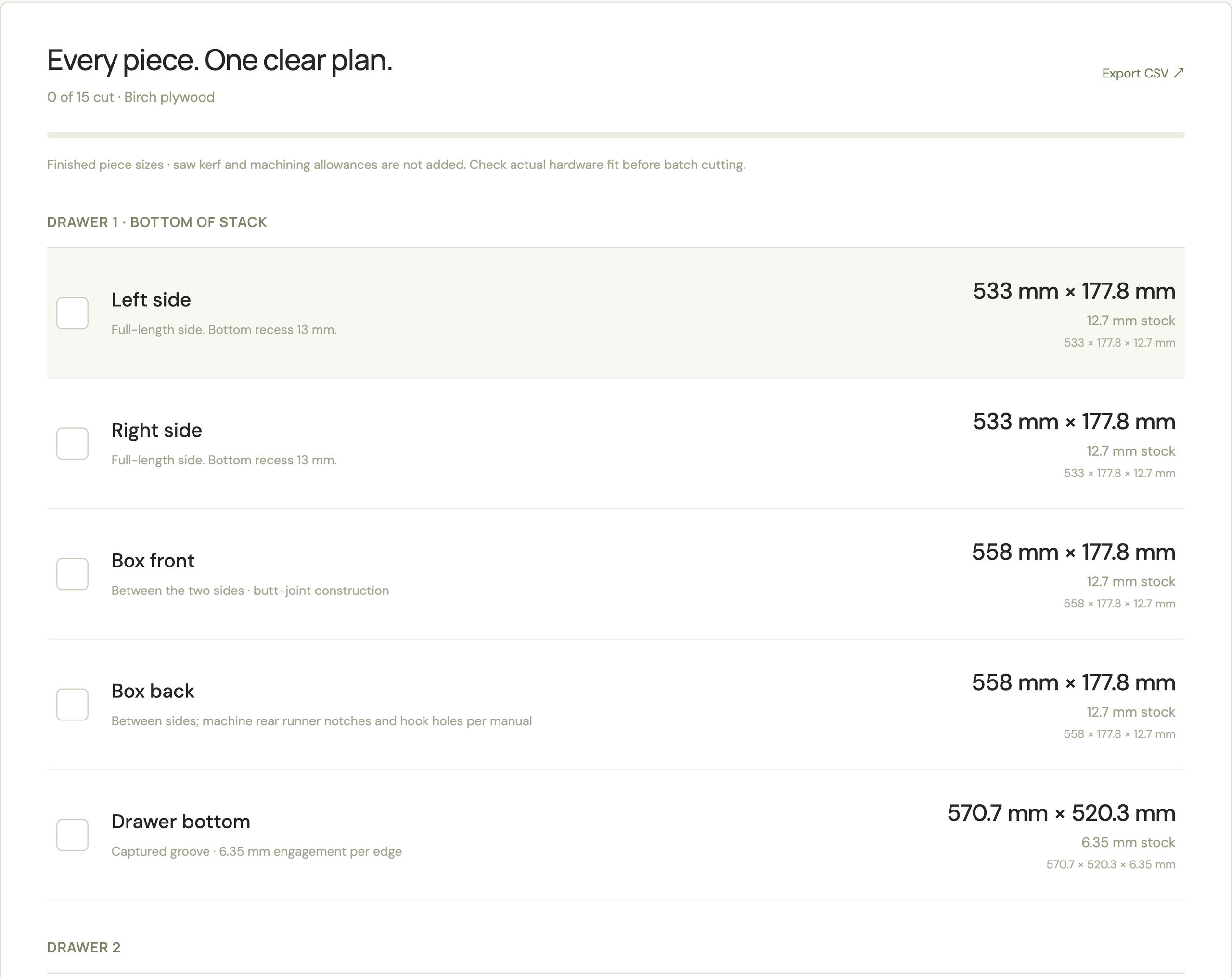
Plan several drawers in the same job.
Set the drawer quantity and review the cut list for the whole stack. Each drawer keeps its own pieces, dimensions and construction notes. I can prepare matching cuts together while still knowing which pieces belong to which box.
Batch planning needs a clear identity for every piece, not just a long list of numbers.
The result
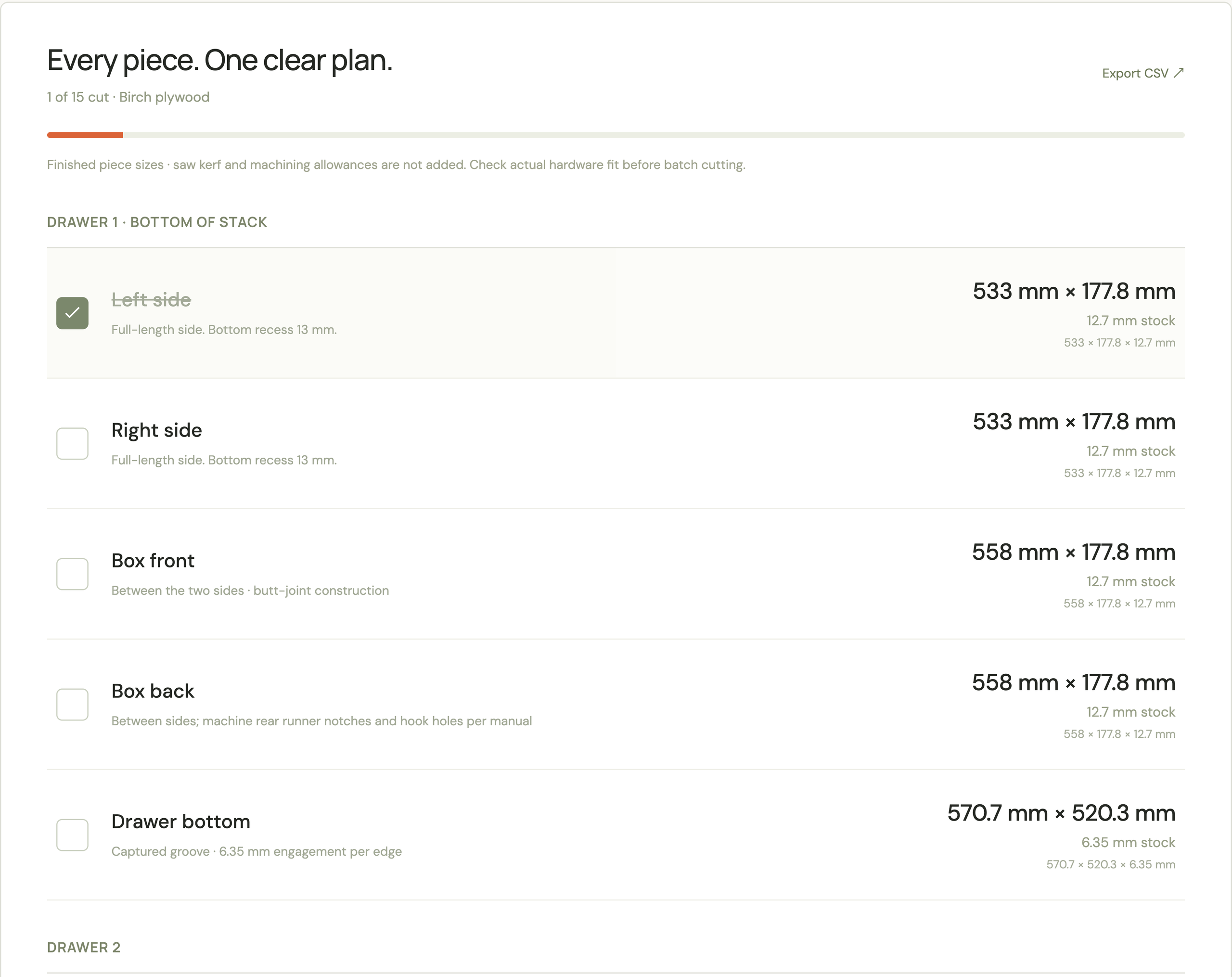
Check off each cut and pick up where you left off.
The cutting view puts the pieces at the bench. Check them off as you go; inputs and progress save on the device. On my van build, the boxes came out exactly as I intended. The tool gave me a plan I could follow without keeping every measurement in my head.
This was a tool I used to build something physical. The result mattered at assembly, not just on the screen.
Behind the build
My part in Blum Workshop.
I designed the calculator around my own cabinet work, then made that workflow useful for other woodworkers. The important choices were product-specific formulas, clear construction assumptions, exact dimensions and a checklist that stays saved while the work happens.
Evidence & what’s next
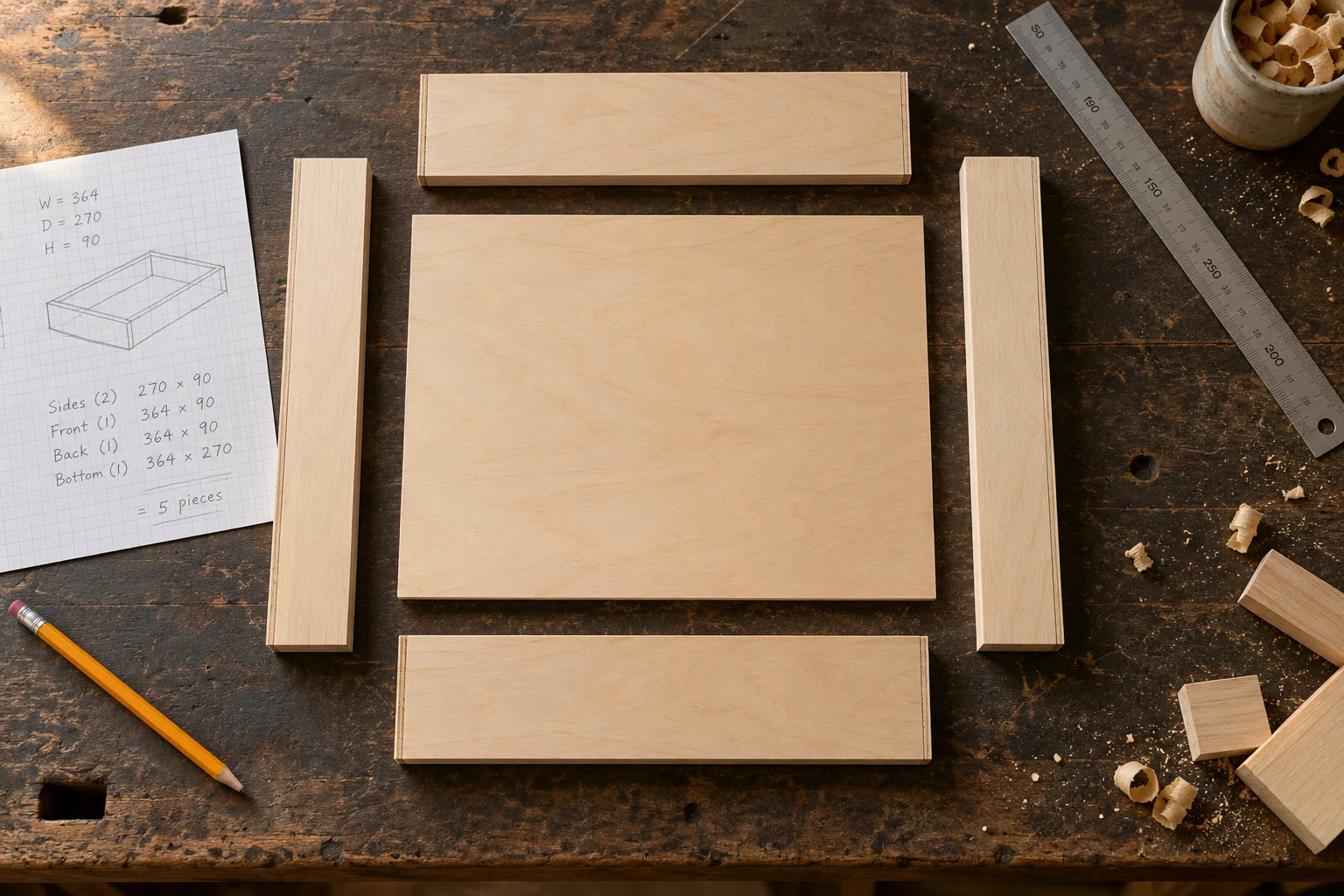
The app screens use a sample three-drawer job. The workbench photograph is a generated illustration. My van-build outcome is my own experience; it is not a measured claim about every user or every Blum product. Check the exact hardware, joinery and machining allowances before batch cutting.
Some systems provide planning guidance rather than a complete hardware configuration. Local saving is device-specific; this is not a shared team database or manufacturer endorsement.
Time a manual lookup and calculation against the tool for the same supported system. Verify each dimension against its source and count corrected inputs.